
In 2026, it’s no longer easy to tell whether an image is real.
From fake profile pictures to edited screenshots and AI-generated faces, manipulated images are being used in scams, misinformation, and even business communication.
Most people rely on instinct.
That’s no longer enough.
Why Fake Images Are a Real Problem
Across Australia, people are receiving:
- Fake screenshots claiming bank issues
- Edited payment confirmations
- AI-generated profile photos used in scams
- Deepfake-style images shared on social media
These images often look completely real.
And once trust is broken, the impact can be serious:
- Financial loss
- Reputation damage
- Misleading business decisions
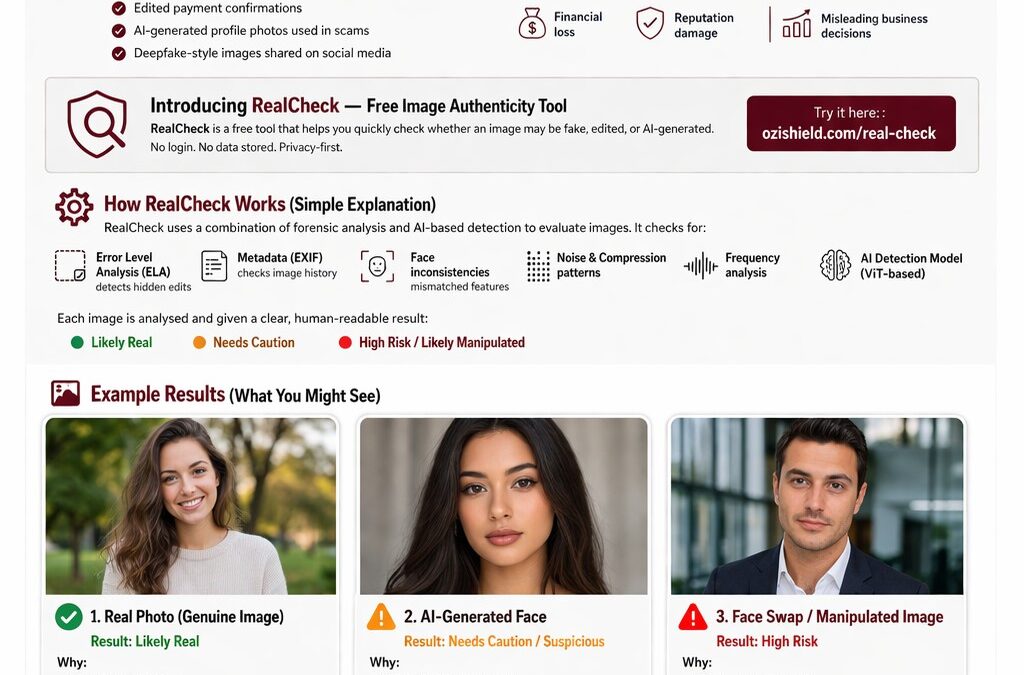
Introducing RealCheck — Free Image Authenticity Tool
OziShield RealCheck is a free tool that helps you quickly check whether an image may be fake, edited, or AI-generated.
Try it here:
https://ozishield.com/real-check
No login.
No data stored.
Privacy-first.
How RealCheck Works (Simple Explanation)
RealCheck uses a combination of forensic analysis and AI-based detection to evaluate images.
It checks for:
- Error Level Analysis (ELA) — detects hidden edits
- Metadata (EXIF) — checks image history
- Face inconsistencies — mismatched features
- Noise and compression patterns
- Frequency analysis
- AI detection model (ViT-based)
Each image is analysed and given a clear, human-readable result:
🟢 Likely Real
🟠 Needs Caution
🔴 High Risk / Likely Manipulated
Example Results (What You Might See)
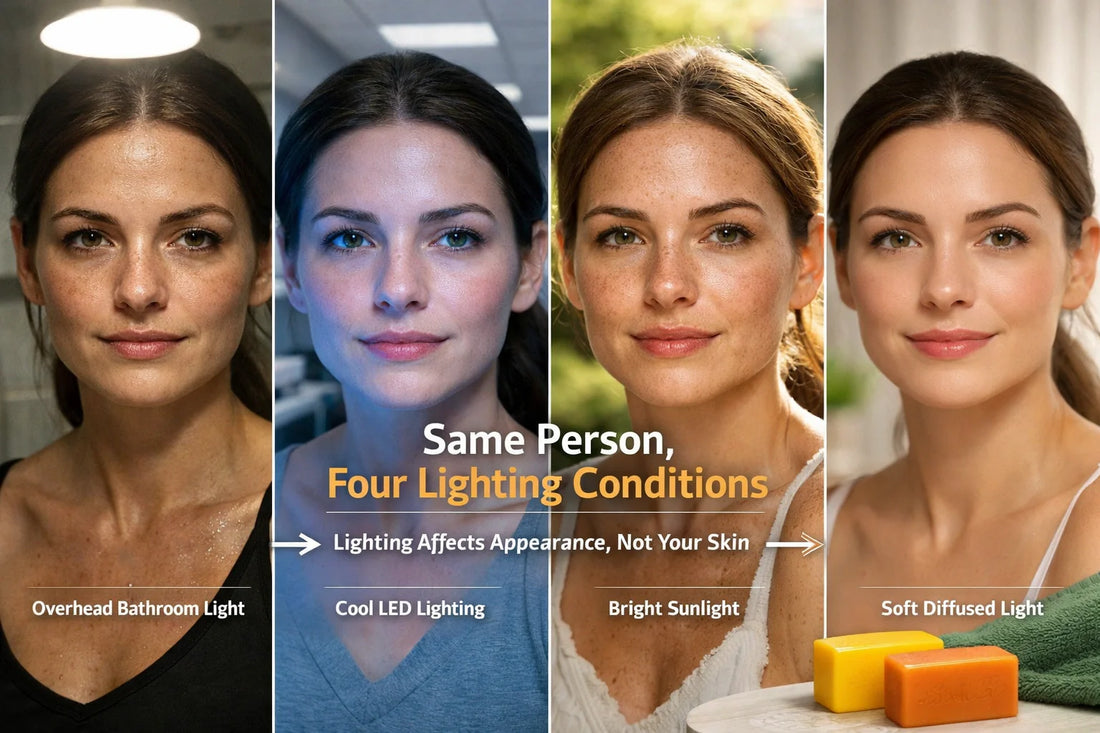
1. Real Photo (Genuine Image)


Result: Likely Real
Why:
- Consistent lighting
- Natural textures
- No editing traces
👉 These images show normal compression and camera patterns.
2. AI-Generated Face

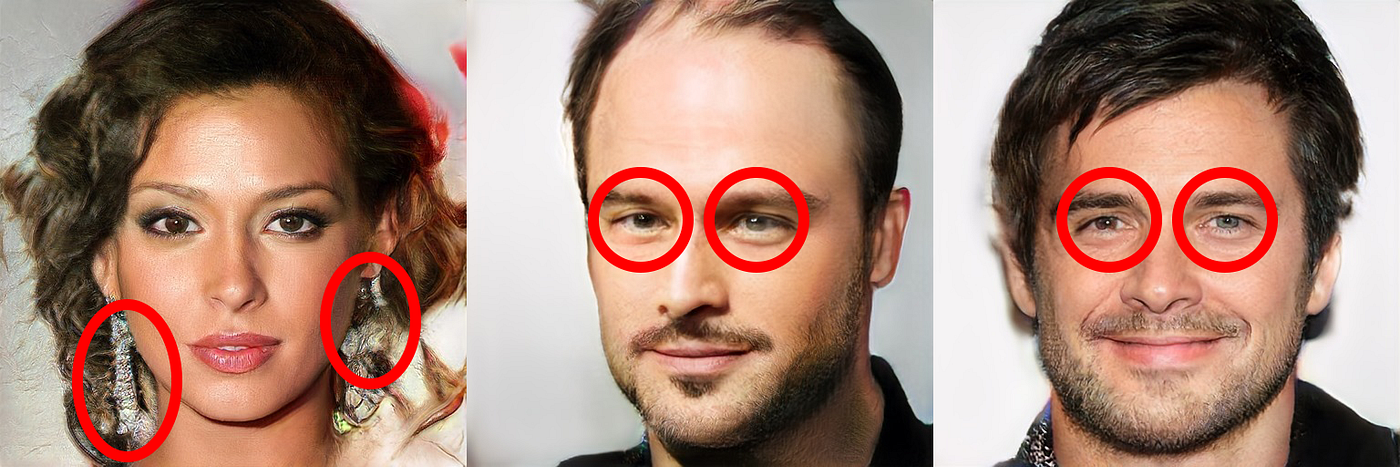

Result: Needs Caution / Suspicious
Why:
- Slight facial asymmetry
- Unreal skin textures
- Background inconsistencies
👉 These are often used in fake profiles or impersonation scams.
3. Face Swap / Manipulated Image
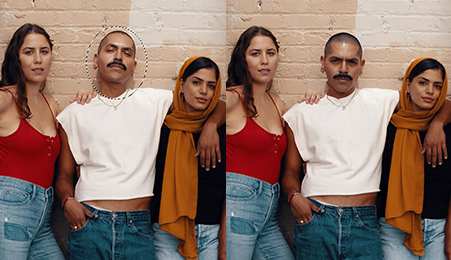

Result: High Risk
Why:
- Face seam mismatch
- Lighting inconsistency
- Pixel-level editing traces
👉 Common in fraud, fake endorsements, or misleading content.
When Should You Use RealCheck?
Use it anytime you feel unsure about an image:
- Someone sends a suspicious screenshot
- A new contact has a “too perfect” profile picture
- A payment proof looks edited
- A viral image seems questionable
👉 If in doubt — check first.
Important Limitations (Honest Note)
RealCheck is powerful, but not perfect.
- Highly compressed images may reduce accuracy
- Very advanced AI images can sometimes pass
- Text edits inside screenshots may not always be detected
👉 Always combine results with your own judgement.
Why This Matters for Businesses Too
Fake or misleading images don’t just affect individuals.
They affect businesses as well:
- Trust signals
- Brand perception
- Customer confidence
If your digital presence contains unclear or misleading signals, it can impact how customers — and even AI systems — interpret your business.
Try It Yourself
👉 Test any image here:
https://ozishield.com/real-check
Free.
Instant.
No login required.