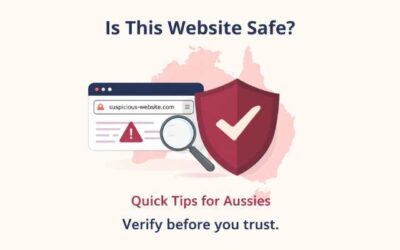
Check Suspicious Links, Messages & Images Instantly
Powered by OziShield’s Forensic Integrity Engine — detecting scams, phishing, deepfakes and manipulation using advanced multi-layer analysis.
A Public Digital Trust Initiative by Ozinexus Technologies.
🔒 No data stored · ⚡ Instant response · 🆓 Free forever

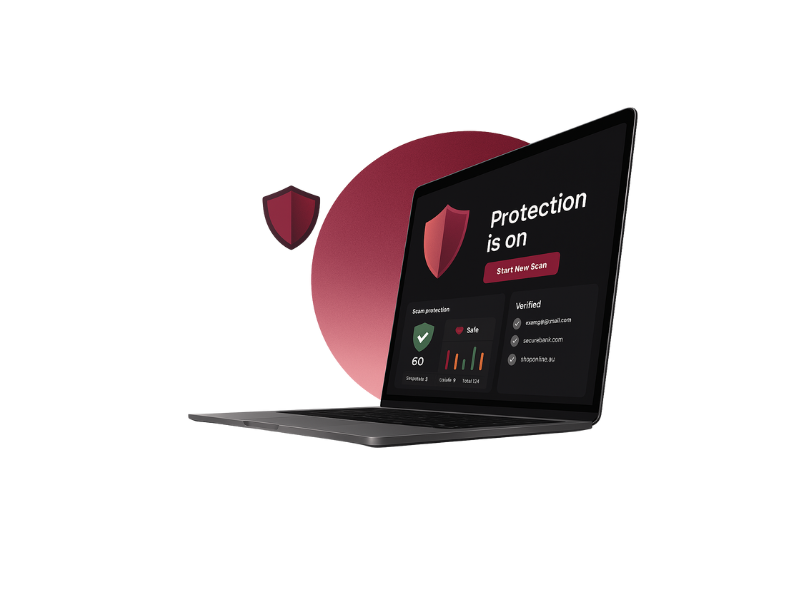
Not sure if something is a scam?
Paste a link, message, or upload a screenshot below to check it instantly.
OziShield helps you check if a link is safe, verify suspicious messages, and detect online scams instantly. Whether it’s a phishing SMS, a fake banking message, or a suspicious website, OziShield provides a quick and reliable analysis.
Safe for Community Sharing
OziShield is a free public awareness tool.
It highlights common scam risk signals to help people make safer decisions.
It does not store data, track users, or declare outcomes.
Own a business website?
Most websites are invisible to AI search — check yours free in 30 seconds.
How OziShield Works
Enter a Link or Message
Paste any website link, SMS text, email snippet or upload a screenshot.
OziShield Analyses It
Our hybrid engine checks risk signals including look-alike domains, fake login pages, suspicious keywords, unsafe redirects, and risky patterns.
Get a clear safety summary
OziShield shows: Safe, Suspicious, or Unsafe, along with a clear explanation in simple language.
Scams OziShield Helps Detect
Fake Login Pages
Links that imitate financial portals, subscription accounts, or online services.
Fake Government Pages
Clone portals pretending to be Service NSW, immigration pages, or application forms.
Fake Delivery Notices
Scam AusPost / courier update links asking for fees or verification.
Screenshot Scam Pages
Fake refund pages, OTP capture screens, identity-confirmation prompts.
Stay Safe From Online Scams — Instantly & Free
OziShield is a free public awareness initiative to help people recognise common online scam risks.
Detect Fake & Imitation Websites
Scammers create look-alike pages that mimic trusted services.
OziShield checks whether a link is official or a clone designed to mislead.
Suspicious SMS, Email & WhatsApp Messages
Your text is analysed on your device — never uploaded — to detect urgent threats, fake delivery notices, OTP traps, refund scams, or pressure-based messages.
Suspicious Screenshots
OziShield uses local OCR to analyse login screens, payment prompts, identity-verification pages, and other scam UIs.
Your image never leaves your device.
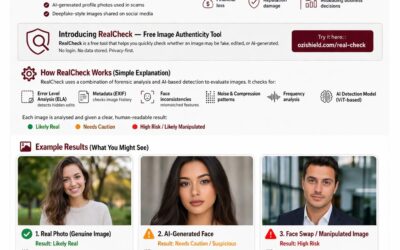
Now featuring RealCheck
Free AI image authenticity detection. Detect deepfakes, face swaps and photoshopped images in seconds.
This image looks real — but is it?
Is that image real? Deepfakes and AI-generated images are increasingly used in scams, misinformation and fraud. RealCheck analyses any photo against 7 forensic signals — free, private, no account needed.
Beta — best for photos and portraits. No data stored.
What Makes OziShield Different
Hybrid analysis engine using 50+ scam detection rules
Brand clone + impersonation detection
On-device OCR screenshot scanning
No login, no tracking, no data stored — ever
OziShield evaluates visible trust indicators using structured detection logic. It does not browse, crawl, or store user data.
Vision
To create a safer internet for every family, student, senior and small business — without needing technical knowledge.
Mission
Deliver simple, accessible cybersecurity tools that protect people, not just devices.
Is OziShield free?
Yes. Completely free. No accounts or subscriptions.
Who built OziShield?
Do you store my links or messages?
No. Everything is processed securely. Nothing is saved.
Is HTTPS always safe?
No — scammers can also get HTTPS. Padlock ≠ safe.
Will you release apps or extensions?
Yes — OziShield browser extension and mobile app are coming soon.
How accurate is OziShield?
OziShield combines multiple safety engines — domain verification, impersonation checks, AI-supported pattern detection, and on-device OCR — to catch signals ordinary users can’t see.
Does OziShield replace antivirus apps?
No. OziShield is not an antivirus.
Is OziShield Australian?
Yes. OziShield is designed, built and maintained by Ozinexus Technologies in Sydney, Australia, specifically to help Australians and people worldwide identify online scams, phishing links and malicious websites.
About This Initiative
OziShield is a public digital trust initiative developed under Ozinexus Technologies.
It was created to improve public awareness of online scam patterns and visible website trust signals — without requiring login, tracking, or technical knowledge.
The goal is simple: help people pause, assess, and make safer digital decisions.