
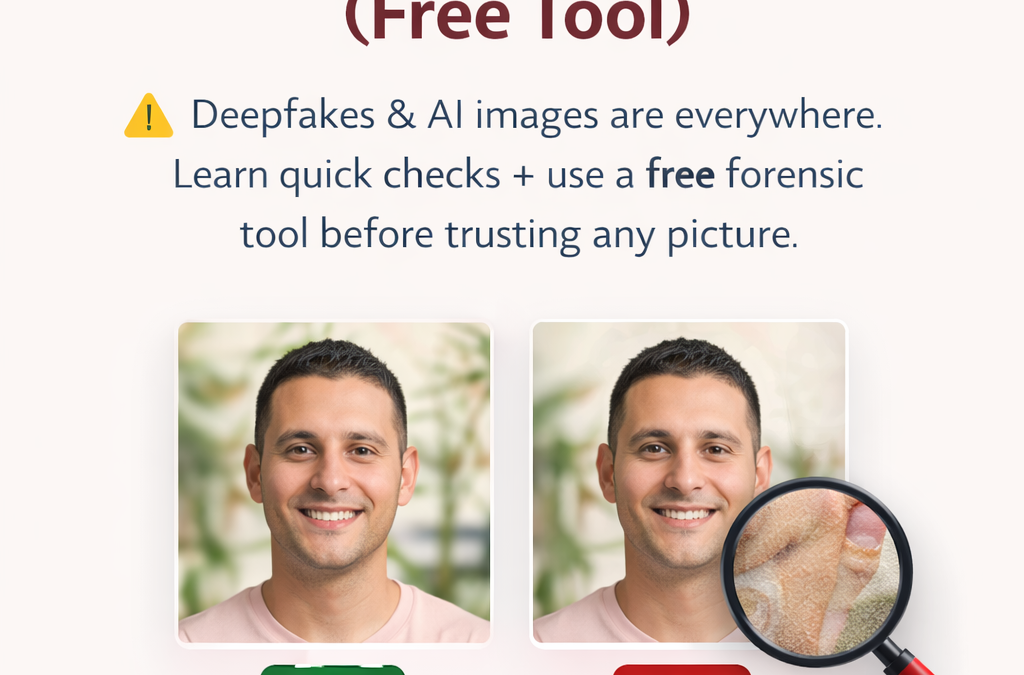
Most people assume fake images are easy to spot.
They’re not.
Today’s AI-generated images and deepfakes are realistic enough to fool business owners, families, and even professionals. These images are already being used in scams, misinformation, and financial fraud.
The problem isn’t just fake images.
The problem is trusting something that looks real—but isn’t.
Why This Matters More Than Ever
We’re now in a phase where:
-
AI can generate human faces that don’t exist
-
Photos can be edited without leaving obvious traces
-
Scammers use fake images in WhatsApp, email, and social media
In many cases, people only realise it was fake after money is lost or damage is done.
That’s why knowing how to verify an image is no longer optional.
5 Signs a Photo Might Be Fake or AI Generated
You don’t need to be a forensic expert. Start with these checks:
1. Unnatural Skin or Lighting
Look closely at the face.
-
Lighting doesn’t match surroundings
-
Skin looks too smooth or inconsistent
-
Strange glow around edges
This is common in AI-generated or face-swapped images.
2. Blurred or Broken Edges
Check boundaries like:
-
Face vs neck
-
Hair vs background
-
Hands and fingers
AI often struggles with clean edges.
3. Inconsistent Details
Zoom in and look for:
-
Different resolutions across the image
-
Background elements that don’t make sense
-
Objects that look slightly distorted
These are strong indicators of manipulation.
4. Missing or Suspicious Metadata
Real photos usually contain EXIF data (camera, device, timestamp).
If:
-
Metadata is missing
-
Or shows editing tools like Photoshop, Canva, Snapseed
Then the image may have been modified.
5. It Feels “Too Perfect”
This is subtle—but powerful.
AI images often:
-
Look overly clean
-
Have perfect symmetry
-
Lack natural imperfections
Real life is messy. AI isn’t.
The Problem With Manual Checking
Even if you follow all the above steps:
👉 You can still miss things
👉 Professional deepfakes are harder to detect
👉 Most people don’t have time to analyse images deeply
That’s where automated tools help.
Use a Free Image Authenticity Check Tool
Instead of guessing, you can analyse an image using:
👉 OziShield RealCheck (Free Tool)
https://ozishield.com/real-check/
It scans images using multiple forensic signals, including:
-
Compression analysis (ELA)
-
Metadata inspection
-
Noise and color consistency
-
Edge and lighting mismatch
-
AI-based anomaly detection
You get a clear result:
-
Likely authentic
-
Uncertain (needs verification)
-
Signs of manipulation
No login. No data stored.
Important: No Tool Is 100% Perfect
Let’s be honest.
Even advanced tools cannot detect every deepfake—especially high-quality ones.
So always follow this rule:
If the image impacts money, trust, or reputation — verify the source.
Real-World Use Cases
People are already using fake images in:
-
WhatsApp scams
-
Fake job offers
-
Romance scams
-
Marketplace fraud
-
Political misinformation
In most cases, the image is the first hook.
What You Should Do Before Trusting Any Image
Simple rule:
-
Don’t trust instantly
-
Run a quick check
-
Verify the source
-
Ask: where did this come from?
It takes less than 30 seconds—but can prevent serious loss.
Final Thought
We are entering a world where:
👉 Seeing is no longer believing
The advantage will go to people who verify before they trust.
If you’re unsure about an image, don’t guess.
Run it through a check:
https://ozishield.com/real-check/
OziShield — Helping You Stay Safe in a World of Fake Content